Quality, at agent speed.
SmartRuns guides the agents writing and testing your code — your workflow, your conventions, your gates — and holds the audit trail: tests, runs, defects, and who approved what. Full quality management, with and without AI.

| Title | |
|---|---|
Sprint 42 — Checkout Flow JPROJ/881 | |
Release 3.1 — Auth & SSO | |
✦ AIAI: Onboarding wizard JPROJ/1482 | |
Regression — Payments v2 |





For QA, dev and product teams on Jira and GitHub
AI drafts a test case in ~5–11 seconds — measured from our own usage. Your team reviews the draft instead of writing it from scratch.
The gap between intent and execution
is where good releases quietly go wrong.
Before SmartRuns, most teams (QA, dev, product) are duct-taping together a process that breaks the moment AI starts doing a growing share of the building.
Tests scattered across five tools
Confluence wiki pages, Google Sheets, Jira comments, Notion docs… nobody knows what's been tested and what hasn't.
Hours lost writing test cases manually
Copy-pasting requirements from Jira just to turn them into test steps, every sprint, every release, every time.
Test results reported in Slack threads
Pass/fail statuses in chat messages that disappear. No audit trail, no reports, no accountability.
That's the chaos everyone already knows about.
The one nobody's solving yet.
Nobody can say what actually shipped
"Is this the feature we agreed on?" Engineering managers, PMs, and QA leads all ask the same question and get a different answer depending on who they ask.
AI ships changes nobody signed off on
Cursor, Claude Code, and Copilot are doing more of the implementation every sprint. Somewhere in there, a decision got made that no human reviewed.
No one can prove what a human decided vs. what the AI did
When something breaks, "was that a person or the agent?" shouldn't require a Slack archaeology dig.
SmartRuns closes that gap — requirements, tests, runs and the record of who approved what, in one place. Try it free →
The whole quality chain, in one place
A complete test management system — repository, plans, runs and defects — with requirements sitting on top of it. Use it as a classic TCMS on day one; turn on Specs and AI when your team is ready — without redoing anything you've already set up.
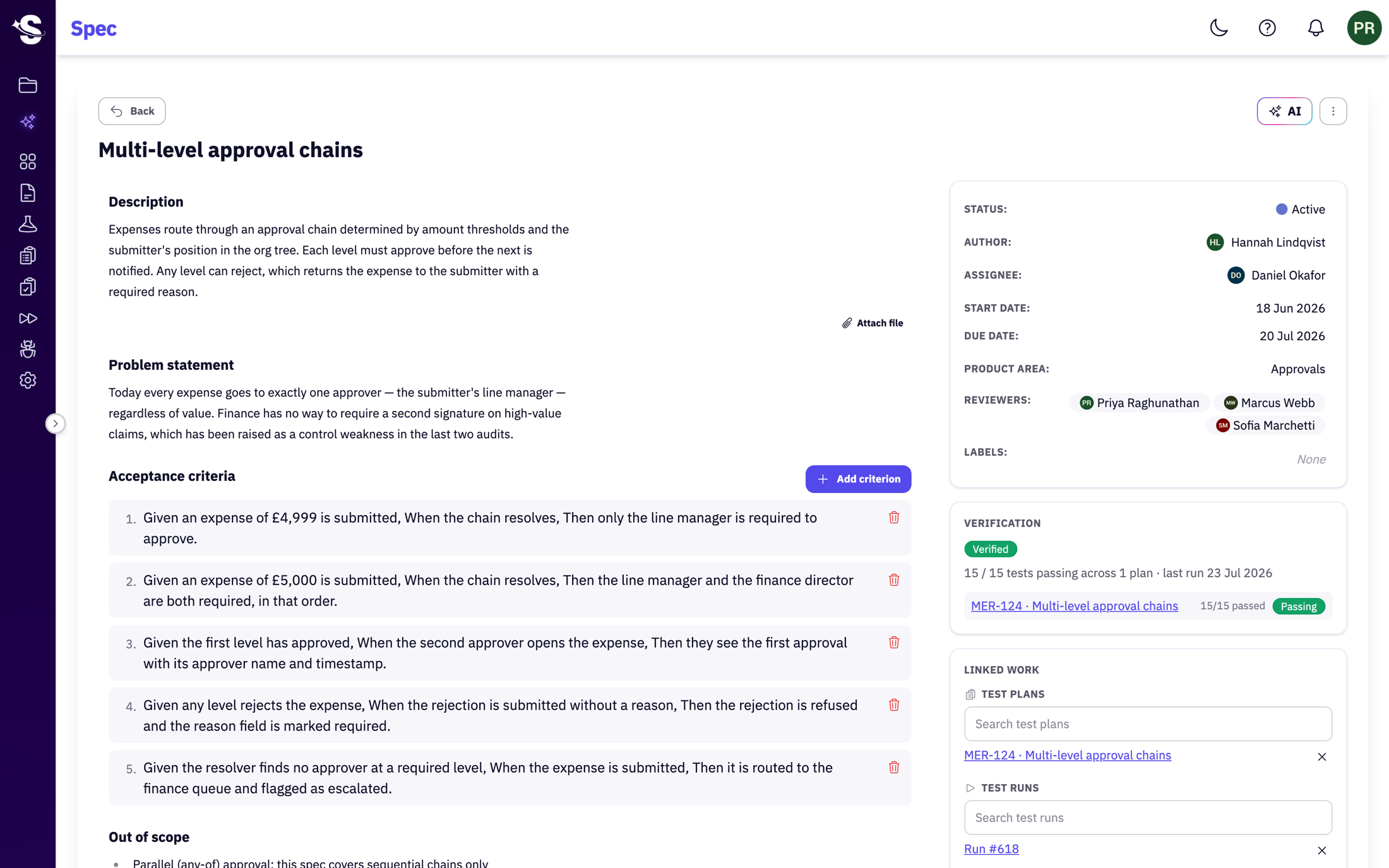
Every requirement, linked to the proof it works
A Spec holds the problem, the acceptance criteria and the decision log in one record, linked to the test plans and runs that check it. The verification status is derived from those runs, not typed by hand — so the Spec reads 15 of 15 tests passing the moment the run finishes, and turns red the moment one doesn't. Nobody signs off on a number they typed themselves.
- Given / When / Then criteria you can point a test at
- Live verification pulled from linked test runs
- Traceable to Jira tickets and GitHub PRs
A repository your QA team already knows how to use
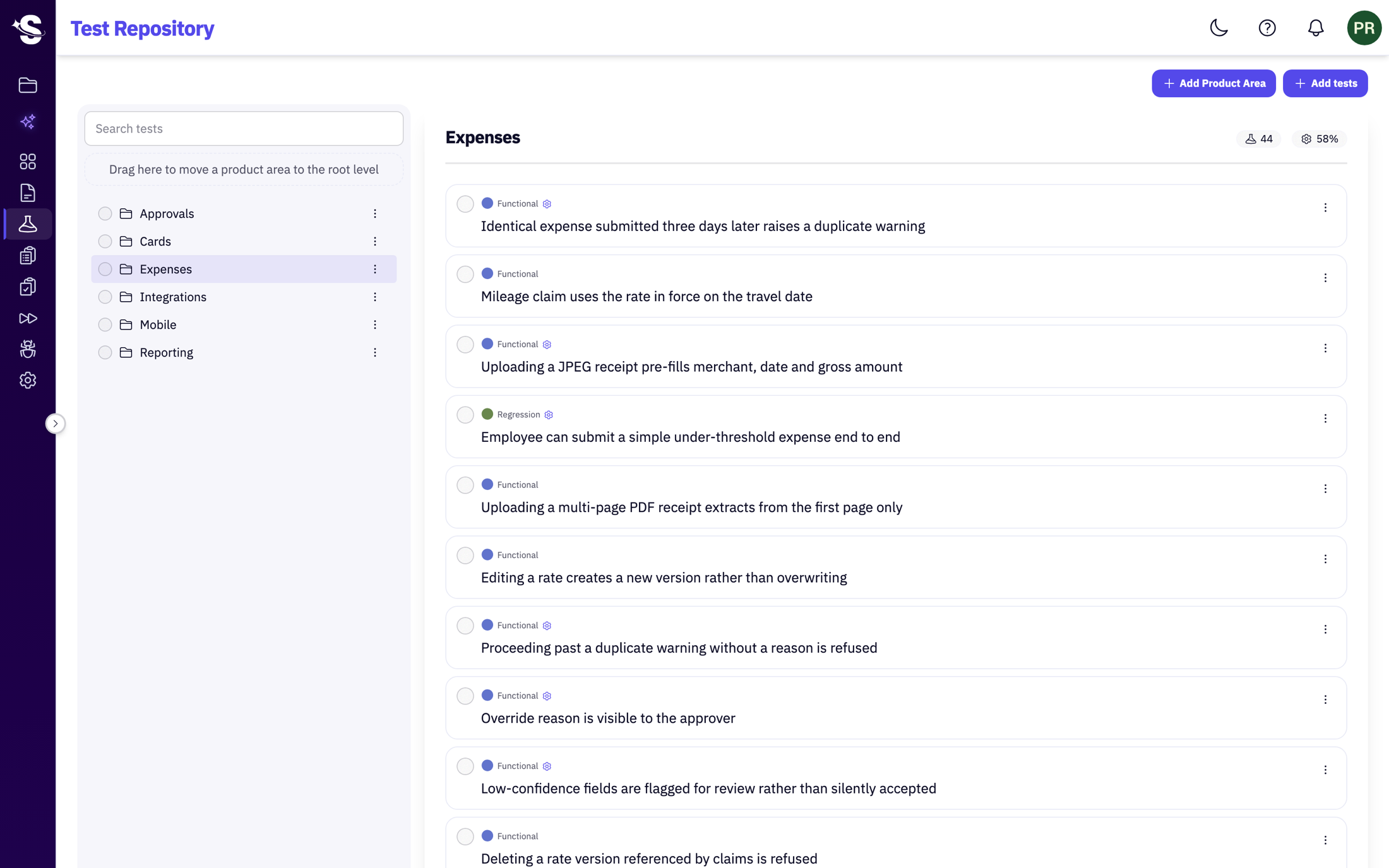
Organise tests by product area, kind and label; version every change; search across the whole suite. Preconditions, ordered steps, expected results — the structure a manual QA team relies on, with per-area coverage in view. No AI required to get value out of it.
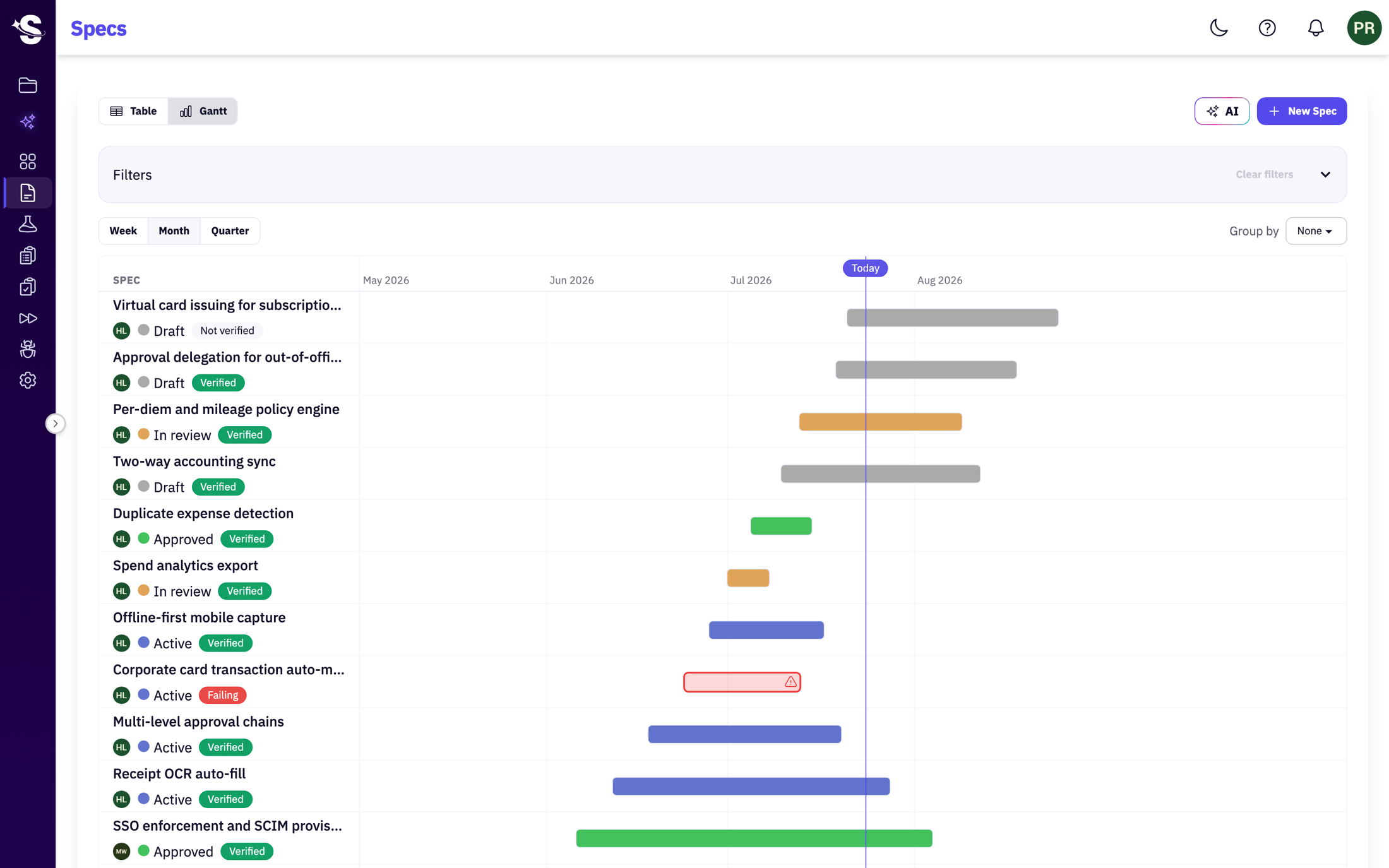
See what's in flight, and whether it's verified
A timeline of every Spec, coloured by status and carrying its live verification badge — so the release plan and whether it actually works are the same view.
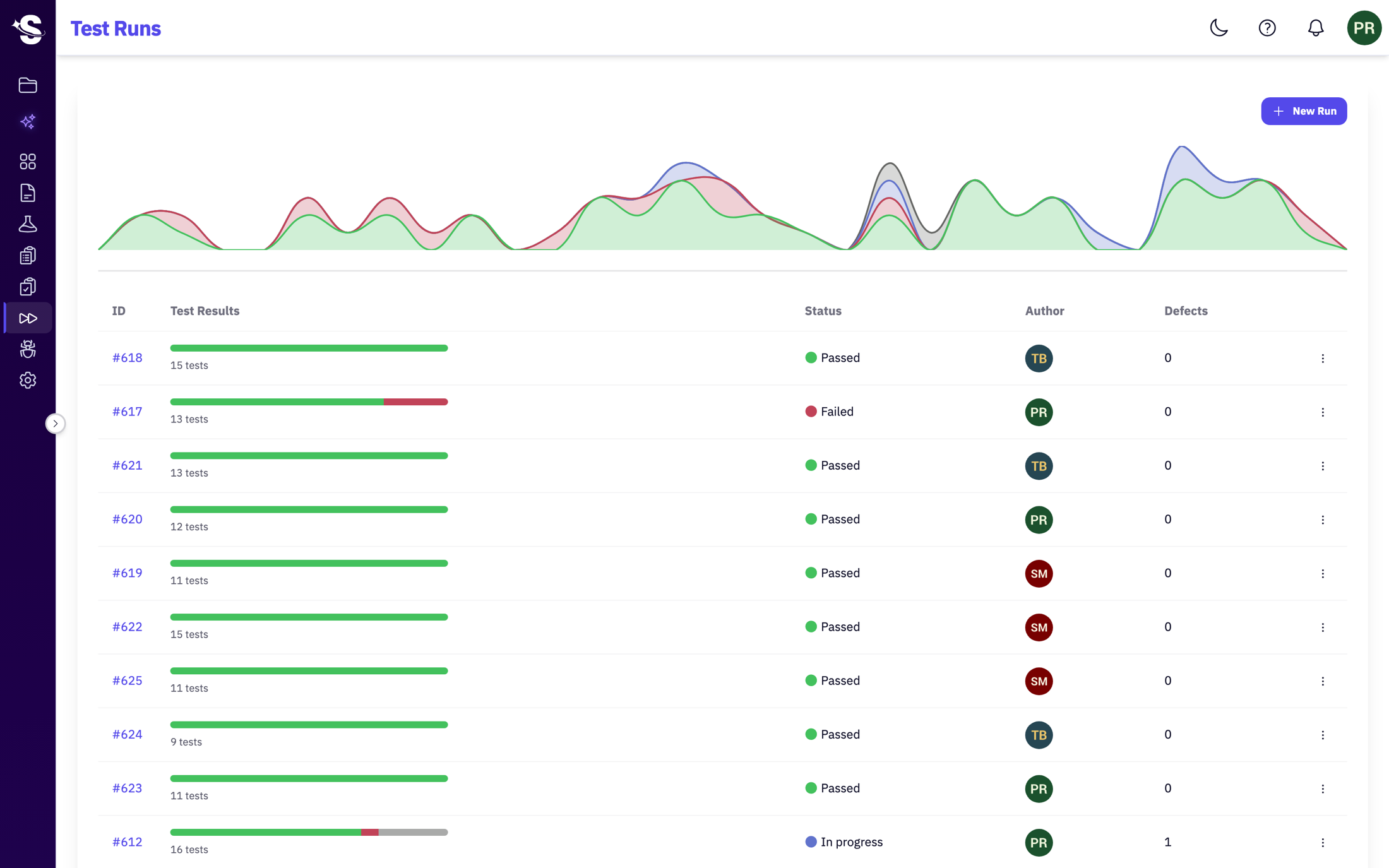
Every run rolls up to the requirement it proves
Execute a plan, mark results, raise a defect from a failure — and the outcome flows back to the Spec's verification status automatically.
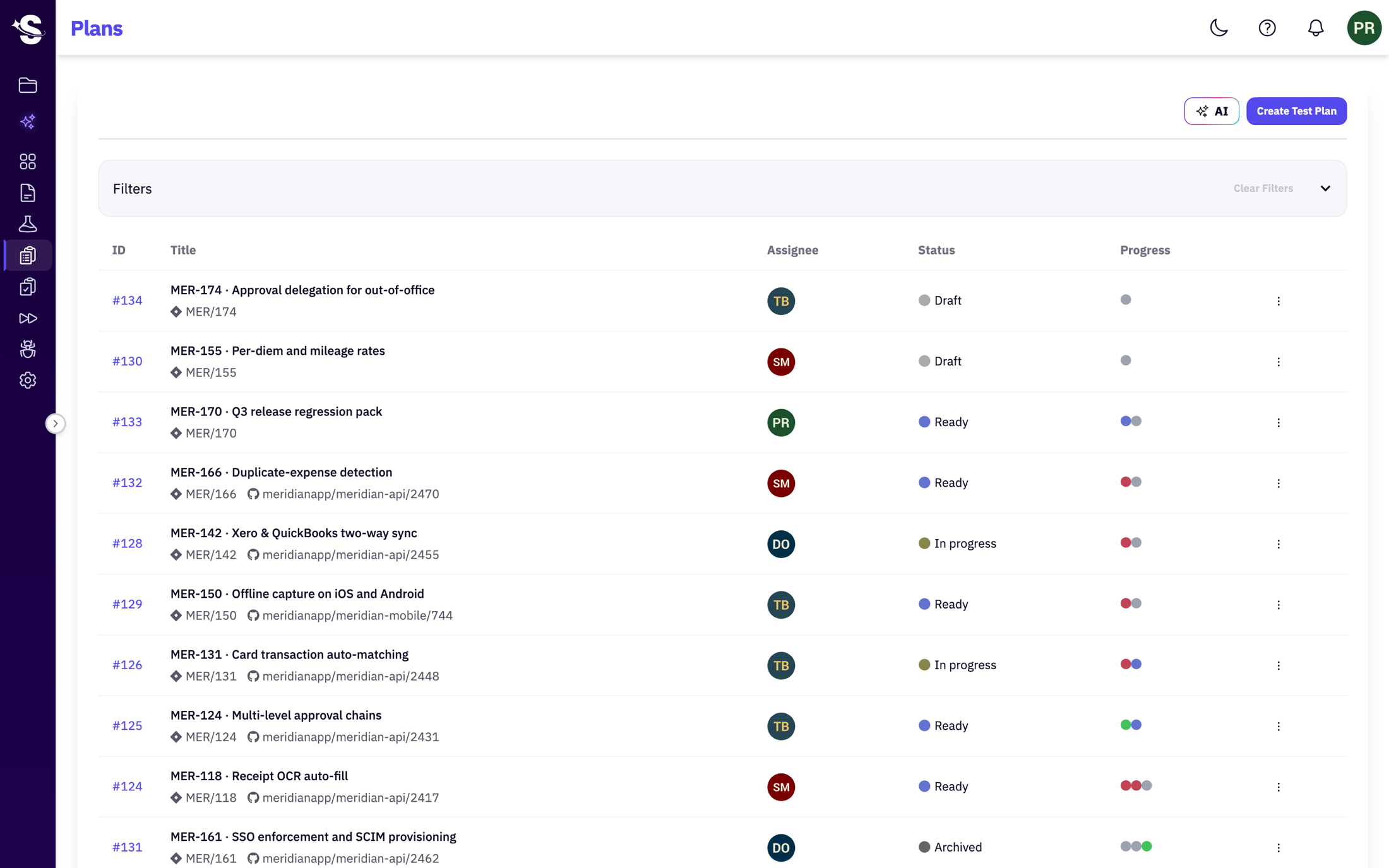
Linked to the Jira ticket and the PR it came from
Every plan carries its Jira key and its GitHub pull request, so the line from requirement to code to test never goes missing.
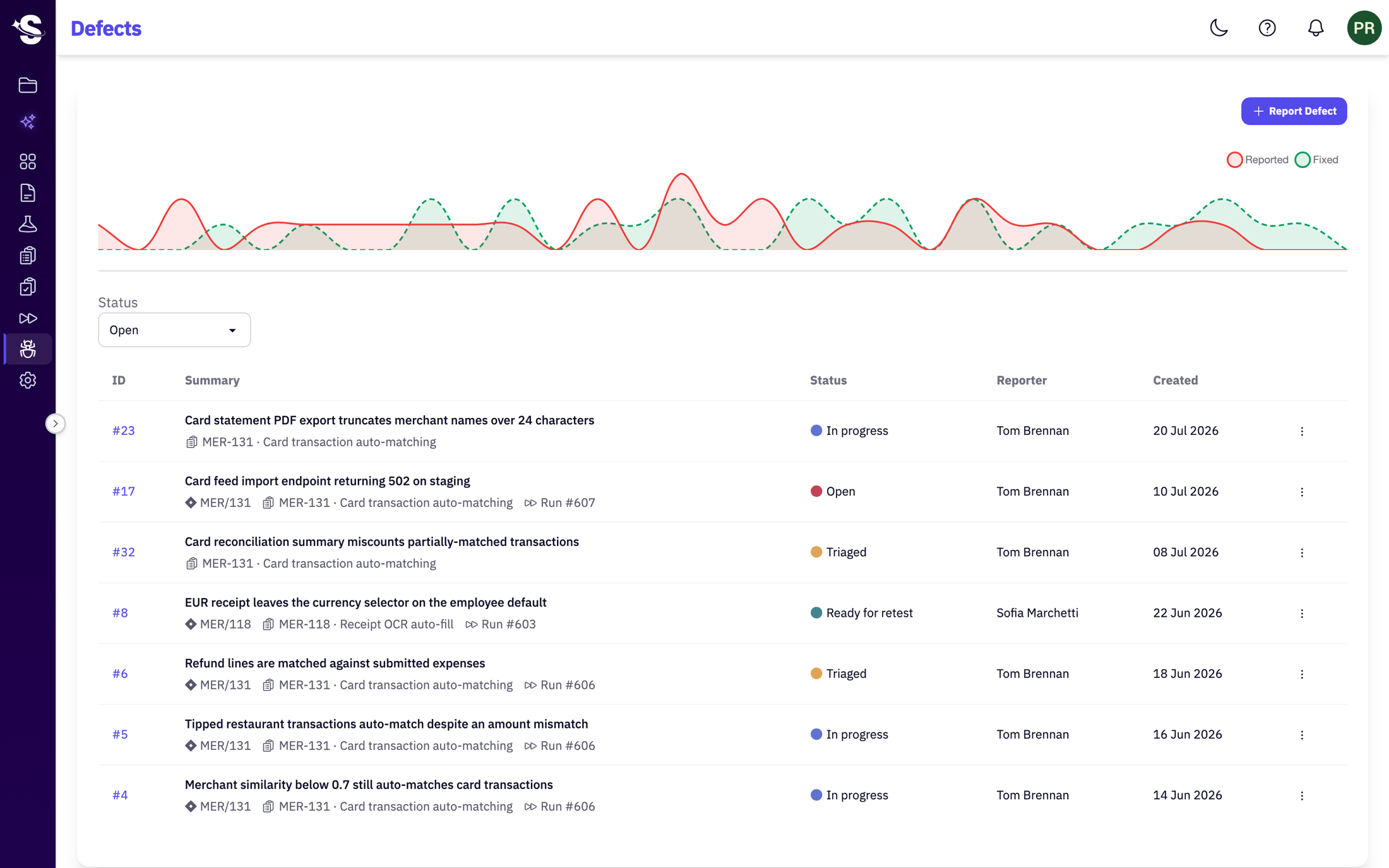
Every bug points back to the test that caught it
A defect carries the run that surfaced it and the requirement it belongs to — so triage starts with context, not a blank ticket.
Define the process once. Your agents follow it.
Ordered stages, phases that run in parallel, the agent role that owns each one, and your conventions — all in one editor. A coding agent reads it live over MCP instead of improvising, and every project you bind picks up your changes on its next run.
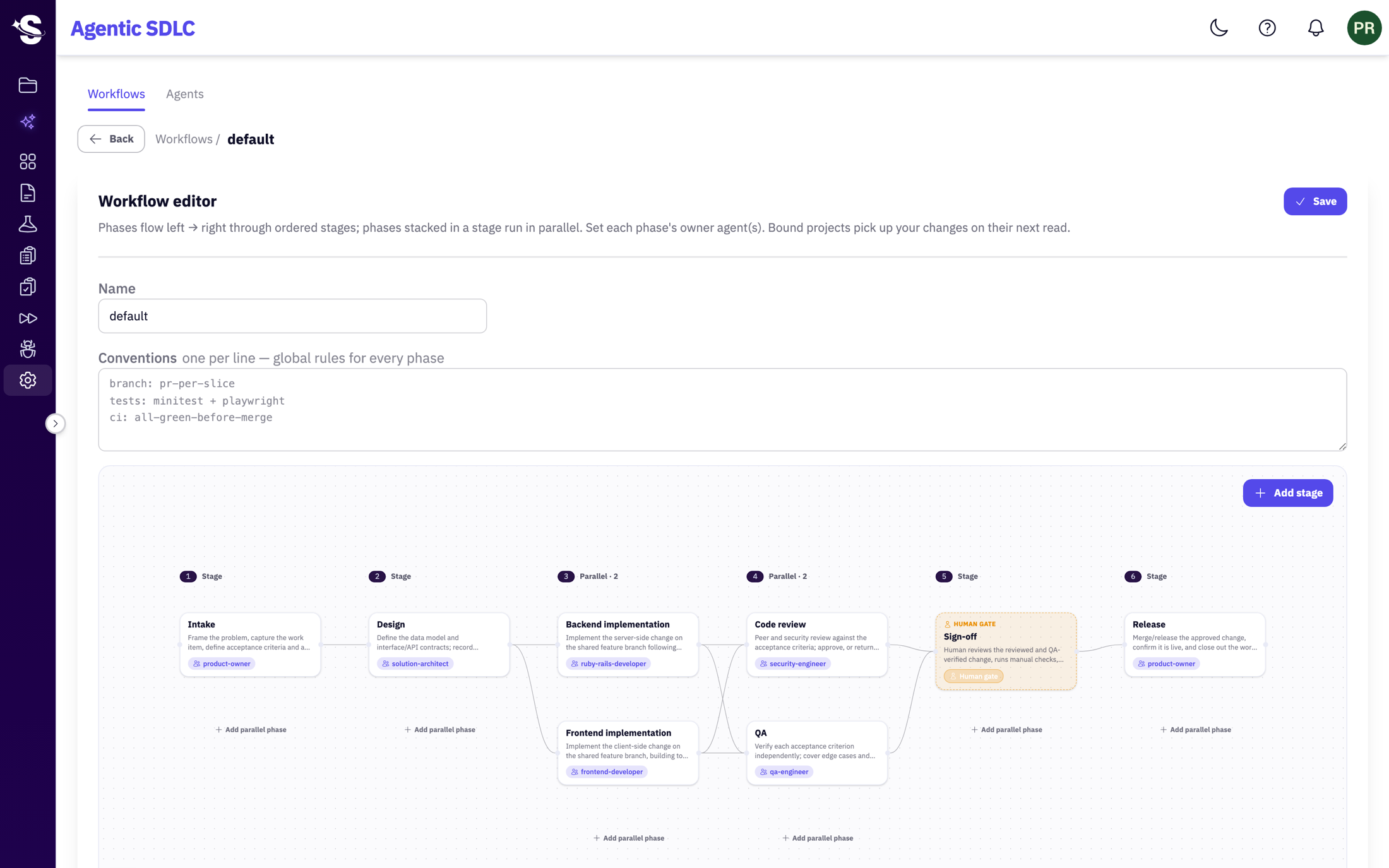
Each phase is owned by an agent role; phases stacked in a stage run in parallel.
Branch strategy, tests, CI — global rules every phase honours.
A gate where a person approves the change, wherever you place it.
Everything around it
The operational layer your team runs day to day.
Human vs AI attribution
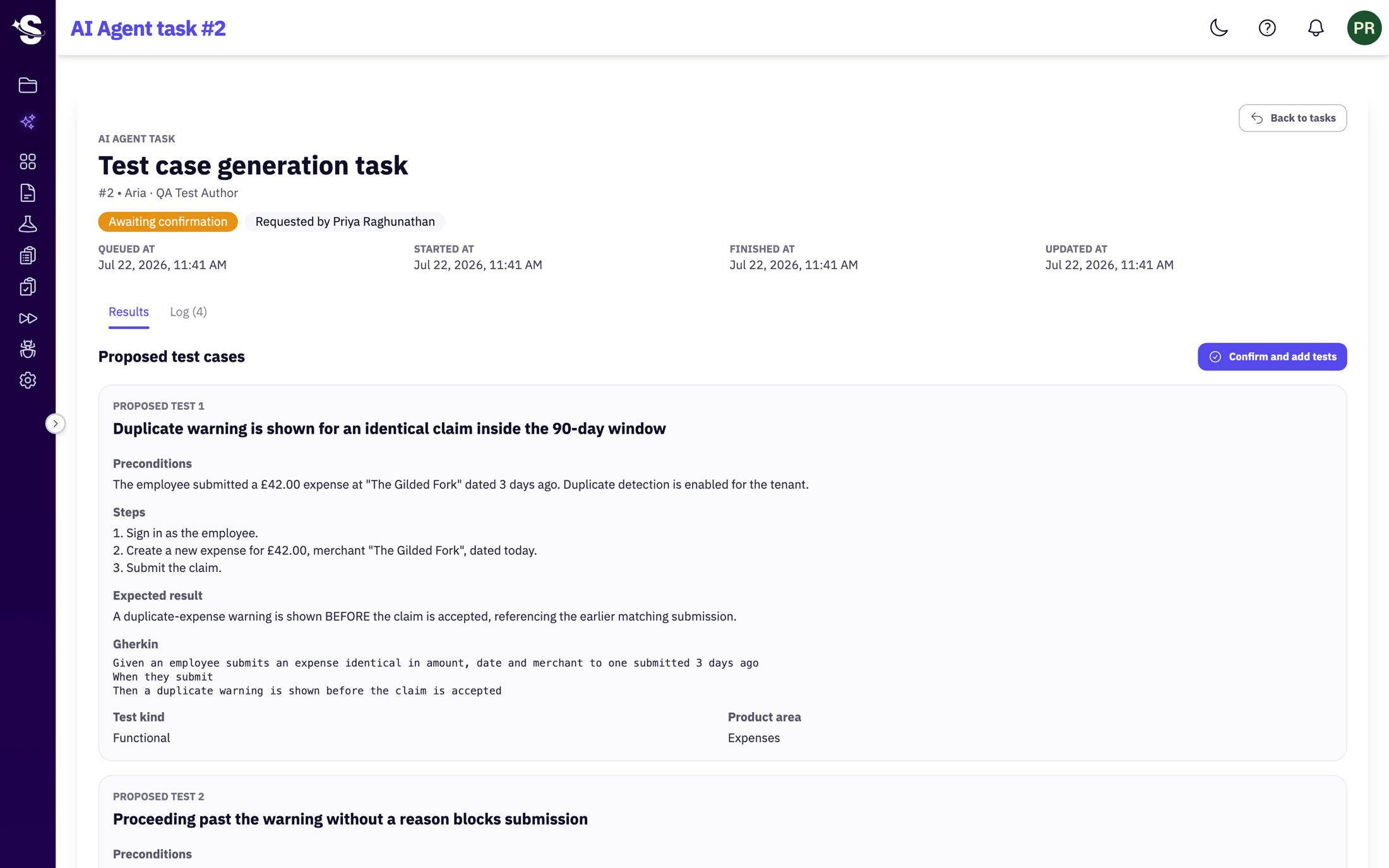
Every action is attributed to a person, an integration (like an MCP agent), or the system — never blurred. AI work waits in 'awaiting confirmation' and persists nothing until it's confirmed.
Jira & GitHub traceability
Link tickets to test plans and PRs to runs. Create a defect from a failed test, and it carries the ticket and the run it came from. The chain from requirement to release stays intact.
Role-based access
Roles at workspace and project level — viewers, testers, leads and admins — with control over who can see and change what.
Reports & coverage
Track pass rates and per-area coverage across runs — and query the full dataset in the live BigQuery connector when you need to go deeper.
Notifications
In-app and email notifications on the runs, defects and Specs each person is watching — no digging to find what changed.
Security & isolation
Data encrypted in transit and at rest on AWS, isolated per account, with a full, queryable audit trail. Enterprise plans add a dedicated cluster and configurable sign-in.
AI writes the first draft. You confirm before it's real.
mcp.smartruns.ioConnect a Jira ticket — or your whole project over MCP — and SmartRuns drafts a complete test suite: preconditions, steps, expected results. You decide where human review is necessary. Every task is attributed, metered, and logged.
The same draft-and-confirm flow runs across your workflow — drafting a defect from a failed run, a regression test from a fixed one, refining acceptance criteria, or summarizing a run.
Plays nicely with tools
you already use
Connect the tools your team already lives in — and the AI agents writing more of the code each sprint.
SmartRuns for Jira
Bring your tests, plans, runs and defects into the Jira issue view — free, EU-hosted, and read-only.
GitHub
Link pull requests to Specs and test plans, and post run results back to the PR — with risk and affected-file signals attached.
AI agents (MCP)
Connect Claude Code, Cursor, or any MCP client — running any model — to the hosted mcp.smartruns.io. Agents read and write tests, Specs and runs as you, with your permissions.
BigQuery
A live-synced copy of your data in Google BigQuery — run ad-hoc SQL, build your own dashboards, and keep audit history beyond in-app retention.
Webhooks
Fire events to any external service when a run completes or a defect, plan, suite or comment changes.
Slack
Run results, failures and run summaries pushed to your channels.
Notion
Keep test plans and results alongside your team's docs.
A modern alternative to
TestRail & Zephyr
Most test management tools added AI on top of a workflow built for manual QA. SmartRuns was built for teams shipping with AI — the repository, plans and runs you already expect, plus the agentic layer they don't have.
14-day free trial. No credit card required.
Put in your team's numbers
Every figure here is yours to set. The only thing we assume is that AI drafts a test in seconds — so authoring becomes a quick review.
per month
per month
An estimate to help you scope the decision — not a guarantee. Savings depend on how much of your authoring you move to AI.
Try it on your own ticketsSimple, transparent plans
Flat pricing, unlimited users. You only meter what your AI and agents actually do.
Starter and Team include a 14-day free trial. Cancel before it ends and you won't be charged a thing.
Starter
14-day trialAI-assisted test management.
Best for Teams modernizing their QA
Flat · Unlimited users
Save €360/yr
Billed annually · 3 projects
- Full core TCMS — unlimited tests, plans, suites, runs, defects
- Unlimited users (fair use)
- 3 projects
- AI test generation
- 10,000 AI credits / month
- Jira, GitHub, Slack, Notion & Google SSO
- 100 GB upload storage
- Email & JSM support
Team
14-day trialThe full agentic quality platform.
Best for Teams shipping with AI agents
Flat · Unlimited users
Save €1,200/yr
Billed annually · Unlimited projects
- Everything in Starter, plus:
- Unlimited projects
- Specs — acceptance criteria, decision log & verification
- Configurable agentic workflow with human sign-off gates
- MCP access — Claude Code, Cursor, any agent
- Full range of AI Actions
- 100,000 AI & MCP credits / mo + top-up packs (10k for €35)
- Advanced project config — permissions, custom fields, statuses, stages
- Webhooks
- BigQuery data connector (15 GB/mo)
- 7-day audit logs + full history via connector
- 250 GB upload storage
- Email & JSM support (48h SLA)
Enterprise
Your cluster, your LLM, your rules.
Best for Large & regulated organizations
From €1,500 / month
Dedicated cluster · Custom quotas
- Everything in Team, plus:
- Bring your own LLM
- Custom AI & MCP credit quota
- Dedicated infrastructure / preferred region / self-host
- Unlimited in-platform audit logs
- Custom BigQuery & upload-storage quota
- 99.9% uptime SLA · 24/7 support
Pick a time that works for you
Try Starter or Team free for 14 days. Cancel before it ends and pay nothing. No questions asked.
AI Actions and MCP/agent activity draw from the same credit pool — top up anytime (10,000 for €35). Upgrade or downgrade whenever; your data always stays with you.
Annual billing shown. Monthly billing available above.
Common questions
Is there a free trial, and can I cancel anytime?
How does AI test generation work?
Can I migrate from TestRail, Xray, or Zephyr?
What integrations are available?
Is my data secure?
Can I control who sees what within my team?
How is SmartRuns different from TestRail or Zephyr?
How does the end-to-end Agentic Workflow work?
What happens when the AI makes a wrong call?
Can I tell which changes were made by a person versus an AI agent (like Claude Code)?
Do I have to use Specs and the governed workflow?
More questions? Email us and we reply within one business day.
Built to pass your security review
Know that what shipped
matches what you decided.
The whole quality chain in one place — AI to draft it, your team to run it, and a human gate wherever you need one. Works as a classic TCMS too. Setup takes 5 minutes.